Minimize active windows as thumbnails on your desktop

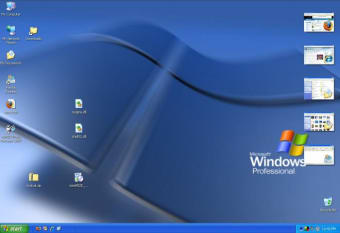
MiniMIZE offers an alternate way to minimize active windows and move between them. Instead of storing them in the toolbar, it creates small thumbnails on your desktop, one for each of your active apps and folders.

While these thumbnails enable you to preview the content of a minimized folder and also distinguish between applications more easily, I'm not sure if MiniMIZE is really that better than the Windows taskbar itself. If you're anything like me (right now I have 12 minimized elements) you'll cover your entire desktop with thumbnails. Also, once you open any app or folder in full screen, you'll lose track of the thumbnails unless you mark them to be permanently on top, in which case they'll inevitably take a lot of room.

The aim behind MiniMIZE – that is, provide an easier way to manage minimized windows – certainly deserves credit, but they way it has been implemented needs serious improvement.

With MiniMIZE you can turn minimized windows into thumbnails and move between them more easily.

  • Pros

    • Thumbnails offer window preview
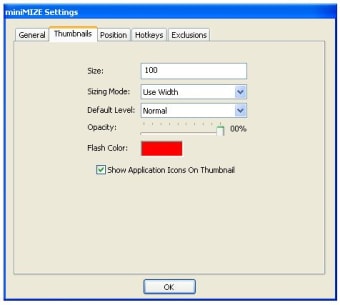
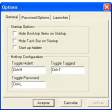
    • Many configuration options
  • Cons

    • Thumbnails disappear when maximizing a window
    • Not clear if it's any better than the taskbar
 0/3

App specs

  • License

    Free

  • Version

    1.0.37

  • Latest update

  • Platform

    Windows

  • OS

    Windows XP

  • Language

    English

  • Downloads

    12.2K

    Last month's downloads

    • 28
  • Size

    869.78 KB

  • Developer

Program available in other languages


Icon of program: miniMIZE

miniMIZE for PC

  • Free
  • 4.5
    13
  • 12.2K
  • V1.0.37

User reviews about miniMIZE

4.5

1 reviews

Add review

Main reviews for you

  • Anonymous user

    This program aite. This program is very good it looks good in its presentation and it is a useful program due to the fact that it creates more space on your windows taskbar.

More

You may also like

Alternatives to miniMIZE

Explore Apps

Latest articles

Laws concerning the use of this software vary from country to country. We do not encourage or condone the use of this program if it is in violation of these laws.


Softonic

Is miniMIZE safe?

98/100

Score result: Clean

This file passed a comprehensive security scan using VirusTotal technology. It is safe to download.

  • Virus free
  • Spyware free
  • Malware free
  • Verified by Security Partners

    VirusTotal logo

Scan Info

Last scan
Monday, January 1, 2024
Scan provider
VirusTotal · Full report

File Integrity

File
mimiMIZE_Setup_1.0.37.exe
SHA256
6a1dda14c86331b218fb01bfd57a8c0bc7cf4b93585767a3e6e3514b7e83b386
SHA1
96c8feae167762b11552bc4fe96731c9bf23b926

Softonic security commitment

miniMIZE has been thoroughly scanned by our advanced security systems and verified by industry-leading partners. This file comes from the official developer and has passed all our security checks, showing no signs of viruses, malware, or spyware.