
Minimize active windows as thumbnails on your desktop
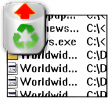
MiniMIZE offers an alternate way to minimize active windows and move between them. Instead of storing them in the toolbar, it creates small thumbnails on your desktop, one for each of your active apps and folders.
While these thumbnails enable you to preview the content of a minimized folder and also distinguish between applications more easily, I'm not sure if MiniMIZE is really that better than the Windows taskbar itself. If you're anything like me (right now I have 12 minimized elements) you'll cover your entire desktop with thumbnails. Also, once you open any app or folder in full screen, you'll lose track of the thumbnails unless you mark them to be permanently on top, in which case they'll inevitably take a lot of room.
The aim behind MiniMIZE – that is, provide an easier way to manage minimized windows – certainly deserves credit, but they way it has been implemented needs serious improvement.
With MiniMIZE you can turn minimized windows into thumbnails and move between them more easily.





























User reviews about miniMIZE
by Anonymous
This program aite.
This program is very good it looks good in its presentation and it is a useful program due to the fact that it creates more space on your windows taskbar.